
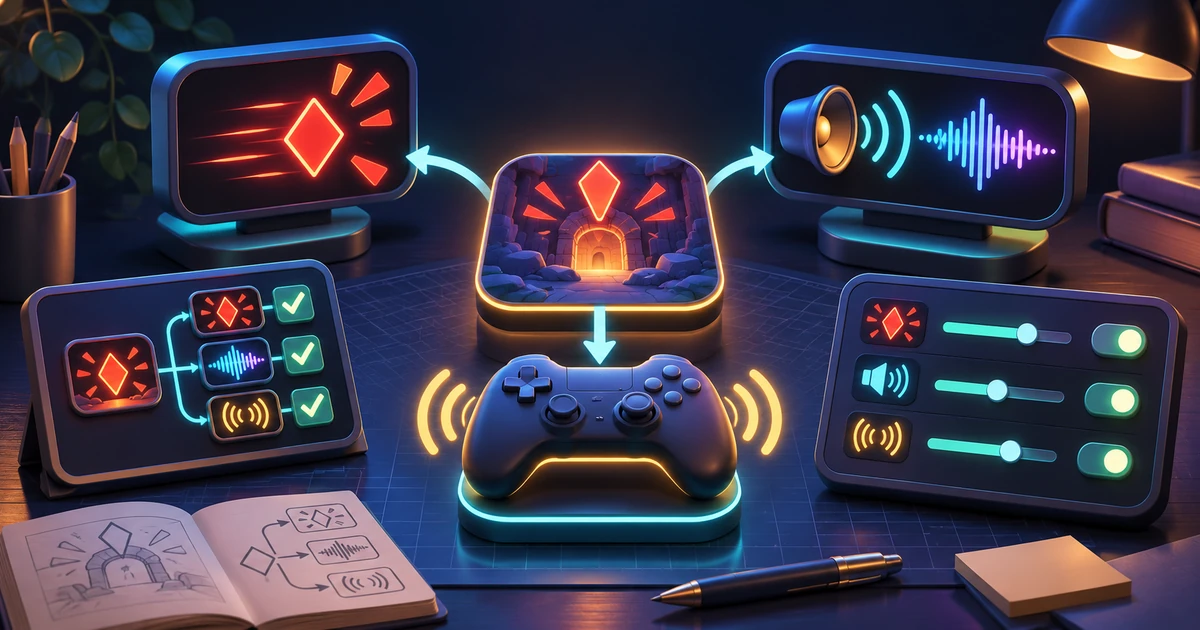
A game can look, sound, and feel busy while still leaving an important event unclear.
The problem often appears when one channel is doing all the work. A red flash may be the only sign that a unit cannot be placed. A short sound may be the only warning that a timer is about to expire. A controller pulse may be the only confirmation that an attack connected. If that channel is unavailable, disabled, masked by the environment, or simply misunderstood, the player loses the information rather than just the effect.
A useful review starts with the decision the player must make. Name the event, the consequence, and the response window. Then trace how the game communicates it visually, audibly, and through touch. The goal is not to duplicate every flourish three times. It is to keep essential information understandable when one presentation is missing.
This is a practical design and test method, not an accessibility audit, conformance test, medical assessment, or guarantee that a game works for every player, device, input method, or setting.
Start with decisions, not effects
Do not begin by listing every particle, sound, and vibration in the game. Begin with moments that change what a player needs to decide.
Examples include:
- an enemy begins an attack that can be avoided;
- a selected action is valid or invalid;
- a limited resource was spent;
- an objective changed;
- a unit, route, or target became available;
- the player took damage or restored health;
- a timed opportunity is about to end;
- a network or save operation failed;
- the game moved into a paused, completed, or failed state.
For each moment, write the player-facing question. “Should I move now?” is more useful than “red warning animation.” “Did the purchase of this upgrade succeed?” is more useful than “confirmation chime.” The question exposes what must remain understandable after presentation changes.
Separate four cue jobs:
- Instruction: what action is available?
- Status: what is true now?
- Warning: what is about to happen if nothing changes?
- Confirmation: what happened because of the player’s action?
One event can use more than one job. A targeting outline can instruct the player where an action is valid, then change state to confirm the placement. Record those states separately. Otherwise a cue may look present in an inventory while failing at the exact moment the player needs it.
Identify the information that cannot disappear
Not every effect is essential. Screen shake, a layered impact sound, and a brief controller pulse can make a hit satisfying even when the health bar and enemy reaction already communicate the result. Removing one flourish may change the feel without hiding the state.
Essential information is different. If missing it can cause the player to make a decision without knowing a relevant condition, lose progress without understanding why, or become unable to recover.
For each event, record:
- the fact the player needs to understand;
- the action they can take;
- how long the information remains useful;
- the consequence of missing it;
- whether the cue persists, repeats, or can be reviewed later;
- whether a setting, device, input method, or game state can remove it.
Microsoft’s Xbox Accessibility Guideline 103 recommends additional channels for critical visual and audio cues. It also notes practical cases where a player may not receive haptic feedback, including unsupported input devices or disabled vibration. Treat that as a cue-inventory prompt, not proof that a specific implementation succeeds.
Build a cue matrix around one repeatable event
Choose one event that can be triggered reliably in a known build. Avoid starting with a long, random encounter that is hard to reproduce. A short deterministic setup makes it easier to compare channels and timing.
The example below is fictional. Lantern Rail is an imaginary route-defense game. It is not a Fireproof Studio product, customer result, accessibility claim, or shipped feature. The completed rows illustrate evidence structure rather than a recommended design for every game.
On a phone or other narrow screen, swipe the table horizontally to read every column.
| Event and player question | Essential information | Visual cue | Audio cue | Haptic cue | Test with one channel unavailable | Expected remaining path | Timing and persistence | Evidence to keep | Result |
|---|---|---|---|---|---|---|---|---|---|
| Rail switch becomes available: “Can I reroute now?” | The switch is usable and affects the highlighted junction | Switch gains a labeled outline and the destination path animates | Short two-note ready tone from the junction direction | One brief pulse after the switch becomes selectable | Mute game audio | Outline, label, and path preview still expose the available action | Persists until used or the window closes | Build, route seed, before/after capture, settings, input method | clear |
| Player selects the blocked rail: “Why can’t I use this route?” | The route is blocked by a named obstruction | Block symbol, obstruction label, and unchanged route preview | Distinct rejection sound, not reused for success | Two light pulses that differ from placement confirmation | Disable vibration | Symbol, label, preview, and sound explain that no resource was spent | Remains visible until selection changes | Invalid-action capture plus resource count before and after | clear |
| Incoming cart threatens the left gate: “Where is the threat?” | Threat direction, arrival window, and affected gate | Left-edge direction marker, gate icon, and shrinking time arc | Spatial warning from the left plus an escalating rhythm | Repeating pulse pattern while the warning is active | Use mono output and low game volume | Direction marker, gate icon, and time arc still identify location and urgency | Starts before decision window; stops when resolved | Stereo and mono captures, volume state, frame timestamps | clear |
| Repair completes: “Did the action work?” | The gate regained durability and the repair resource was consumed once | Durability value rises, repaired segment changes shape, resource count decreases | Completion tone distinct from purchase and level-complete sounds | One medium confirmation pulse | Turn off game audio | Numeric and structural change plus resource count confirm the result | State remains inspectable after the effect ends | Pre/post state, resource ledger, repeat-attempt capture | clear |
| Wave pauses after focus loss: “Is the game still advancing?” | Simulation is paused and can be resumed without hidden loss | Pause overlay names the state and exposes Resume | Looping action audio stops; a short pause tone plays once | No repeating haptic | Lock and unlock the device with haptics off | Overlay, stopped motion, unchanged timer, and Resume control preserve context | Persists until the player resumes | Screen recording spanning interruption and timer comparison | clear |
| Save attempt fails: “Was my progress stored?” | Save did not complete; next safe action is retry or continue offline where supported | Persistent failure message with Retry and current save state | Non-looping alert distinct from gameplay warnings | Optional warning pulse | Mute audio and disconnect in an approved test environment | Message, state, and Retry remain available without relying on sound or touch | Persists until resolved or explicitly dismissed | Network condition, error state, retry result, final save timestamp | clear |
The matrix is intentionally about information, not effect count. Three simultaneous effects can still fail if they all say only “something happened.” A useful set answers the player’s actual question: where, what changed, what can I do, and did it work?
Test channels independently
Run the same event more than once. Change one presentation condition at a time so the evidence remains attributable.
Useful scenarios include:
- game audio muted while system audio remains available;
- music, effects, and dialogue adjusted separately where the game supports them;
- haptics disabled in the game;
- a controller or input method without the expected haptic capability;
- device speakers instead of headphones;
- mono audio where the platform supports it;
- reduced brightness or a bright environment;
- a color filter provided by the operating system;
- motion or flashing effects reduced where the game offers that setting;
- captions, direction indicators, or other supplemental cues enabled and disabled;
- interruption and resume during the active cue.
Do not claim that changing a display filter or muting a speaker simulates another person’s experience. It tests whether a specific channel can disappear and whether the remaining design still communicates the event. Observation with players, platform testing, specialist accessibility review, and conformance evaluation are separate forms of evidence.
The W3C’s Use of Color explanation describes why color should not be the only visual means of conveying information in web content. WCAG is a web-content standard, so that page does not certify a game. Its narrower design question is still useful here: if hue disappears, does another visual difference such as shape, label, pattern, position, or persistent state remain?
Make redundant cues agree
Adding another channel can create a new problem when the cues disagree.
Check causal alignment:
- Does the warning sound begin when the visual warning begins?
- Does the haptic confirm the accepted action, or fire when the button is merely touched?
- Does a direction indicator point to the same source as spatial audio?
- Does a success tone ever play before the state is committed?
- Does a failure message remain after a retry succeeds?
- Are the same sound and vibration patterns reused for opposite outcomes?
Apple’s playing haptics guidance recommends a clear cause-and-effect relationship, consistent meanings, restraint, and the ability to turn haptics off. It also describes haptics as complementing visual and auditory feedback. Apply that guidance to Apple platforms and supported hardware; verify other platforms and controllers against their own current behavior.
Timing matters as much as presence. A visual warning that appears after the unavoidable hit is evidence of damage, not an actionable warning. A one-frame icon may technically exist but be unavailable for practical review. Record when the cue begins, how long it remains, and whether the player can inspect the resulting state afterward.
Keep settings from becoming hidden dependencies
Settings should let players adjust an experience without silently removing the information required to play it.
Review:
- whether haptics can be disabled;
- whether music, effects, dialogue, and master volume controls match the game’s audio design;
- whether supplemental indicators or captions are discoverable;
- whether a preview demonstrates a setting before leaving the screen;
- whether values persist after relaunch;
- whether “Reset to default” restores a documented state;
- whether changing a setting during an event causes duplicate, stale, or missing feedback.
Microsoft’s haptic feedback guideline recommends configurable haptics and other means of conveying the information. Apple’s designing for games guidance describes haptics as one platform capability among the broader game experience. Neither source removes the need to test the exact game, device, controller, and settings combination you support.
Do not bury a required fallback behind an unexplained icon. If turning off vibration makes an important warning depend on a visual indicator, verify that the indicator is active, readable, and introduced before the relevant event.
Review failure and recovery, not only ideal play
Cues often break at state boundaries:
- the event begins while a menu is open;
- a warning continues after pause;
- audio resumes before the game simulation;
- a haptic fires twice after reconnecting a controller;
- a message is covered by a reward or system overlay;
- an invalid action consumes a resource before showing rejection;
- a save failure looks like a routine notification and disappears;
- the player returns from an interruption after the cue already ended.
For each essential event, test one adjacent failure or recovery path. Preserve the original scenario, starting state, build, settings, input method, expected behavior, observed behavior, and evidence. If the result is inconsistent, label it unclear rather than averaging several runs into a pass.
Our first-minute mobile game review provides a structure for tracing an input through feedback, consequence, and next choice. The game store page checklist covers the evidence available before download. This cue review sits between them: it examines whether a known in-game event remains understandable across presentation conditions.
Close the review with evidence and limits
A cue review is complete when the team can answer:
- Which player decisions were in scope?
- Which information was marked essential, and why?
- Which visual, audio, and haptic cues carry it?
- What happened when each channel was unavailable?
- Did the remaining cues agree in meaning and timing?
- Were settings, interruption, failure, and recovery checked?
- Which devices, controllers, builds, and configurations were not tested?
- Who owns each unclear result and the repeat scenario?
Keep those limits beside the result. “Passed with audio muted on one phone build” is useful evidence. “Accessible” is a much broader claim that this worksheet does not establish.
The practical goal is simple: an essential event should not vanish with one color, one sound, or one vibration. Start with the player’s decision, make the information explicit, test one channel at a time, and keep the evidence needed to repeat the scenario after a change.
Explore Fireproof Studio’s games and interactive work. Designing feedback for a game or interactive product? Tell Fireproof Studio which player decision needs to stay clear.