
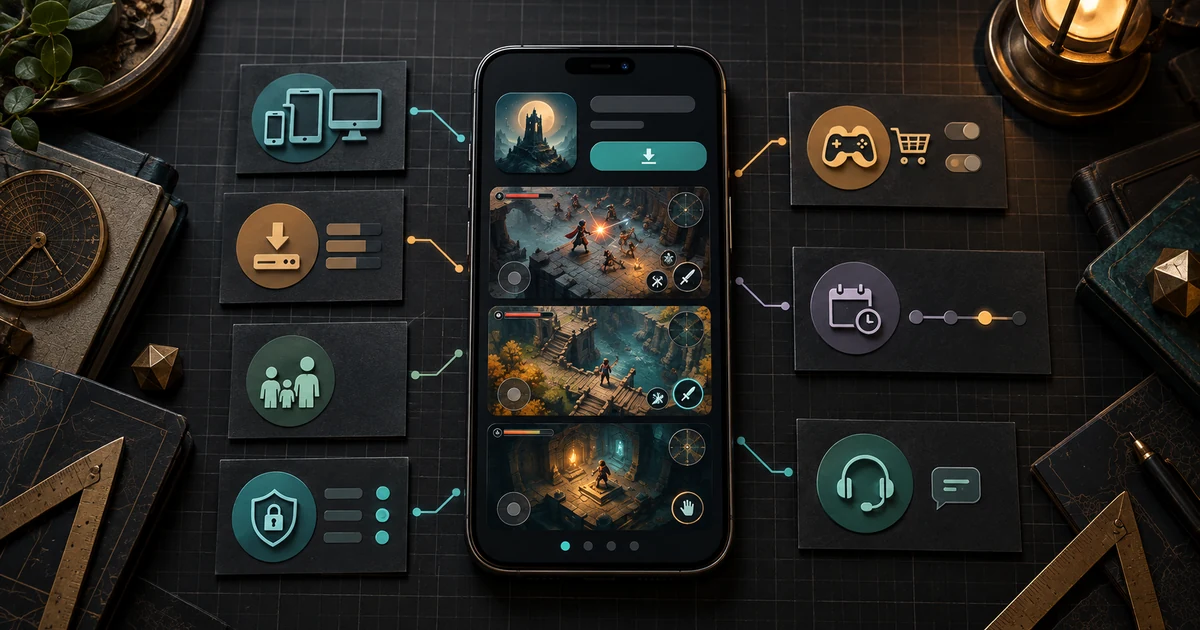
A mobile game store page can answer useful questions before you spend time, storage, or money on a download. It can show what play looks like, whether the game is offered for your device, how it may charge you, what age guidance it carries, and what its developer says about data collection.
It cannot prove that the game is fun. It cannot guarantee smooth performance on your device, fair monetization, accurate privacy practices, or long-term support. The page is evidence to inspect, not a verdict to accept.
If you are wondering what to check before downloading a mobile game, start by separating three things:
- What the store page shows clearly.
- What it leaves unclear or does not address.
- Which unknowns matter enough to stop the download.
That distinction turns a quick scroll into a useful decision.
Start with the play, not the poster
The first question is simple: What will I actually do in this game?
Look for mobile game screenshots or video that show an active game state. Useful images reveal a board, character, route, hand, controls, score, objective, inventory, dialogue choice, or another part of play. A logo, cinematic image, character portrait, or reward collage may describe the game’s theme, but it does not show the interaction.
The stores themselves set expectations for these assets. Apple’s current screenshot guideline says screenshots should show the app in use and that most should demonstrate its main features and functionality. Google Play’s preview-asset guidance says game screenshots should depict the in-game experience and use imagery captured from the game. Those are platform-specific requirements for developers, not a guarantee that every listing will answer every player question.
Read screenshots as a sequence. Do they show more than one state, or repeat the same attractive scene? Can you identify the player’s decisions? Does the interface remain visible, or is every image covered by large captions and promotional art? If a video is present, does it show sustained interaction or only edited transitions?
A screenshot can establish that a particular interface or game state is represented on the listing. It cannot establish how often that state appears, how responsive the controls feel, how the game performs, or whether the full experience matches your preferences.
Copy this game store page checklist
Use one row per question and fill the last column with clear, unclear, absent, or not applicable. Record only what the page actually says or shows. “Probably” belongs in the unknown column, not the evidence column.
On a narrow screen, swipe the table horizontally to read every column.
| Check | Store-page evidence to look for | What it can establish | What remains unknown | Result |
|---|---|---|---|---|
| Real gameplay | Several screenshots or a video showing active play, interface, objectives, and different game states | The listing represents specific play states and mechanics | Feel, depth, pacing, balance, and how representative each scene is | clear / unclear / absent / not applicable |
| Screenshots/video | Captured game imagery rather than only logos, cinematics, captions, or character art | What the listing chooses to demonstrate visually | Whether the current build always looks or behaves that way | clear / unclear / absent / not applicable |
| Device and OS requirements | Compatibility result, required operating system, download size, and supported device details shown by the store | Whether the store currently offers the listed version for the device or account context shown | Frame rate, battery use, heat, storage after installation, and performance during busy scenes | clear / unclear / absent / not applicable |
| Controls | Visible touch targets, gestures, controller notes, or a description of the input method | Which control methods the listing represents or explicitly supports | Responsiveness, comfort, remapping, and how controls feel over a full session | clear / unclear / absent / not applicable |
| Monetization and ads | Download price, in-app purchase or subscription information, and any store-provided ads label | Which commercial elements the store explicitly discloses | Purchase pressure, ad frequency, offer timing, progression gates, and overall value | clear / unclear / absent / not applicable |
| Network or account dependencies | Text stating online play, multiplayer, login, account, or connection requirements | Dependencies the developer explicitly identifies | Offline behavior, outage handling, data use during play, and whether an unstated dependency appears later | clear / unclear / absent / not applicable |
| Accessibility and support information | Accessibility details, captions in media, readable interface examples, support text, or linked help material | Features and support paths explicitly described | Whether every screen and interaction works for a particular access need | clear / unclear / absent / not applicable |
| Age/content guidance | Store age rating, descriptors, and any content notes | The store’s current rating information for the listed version and region | Suitability for a particular player or household | clear / unclear / absent / not applicable |
| Privacy/data disclosures | Apple App Privacy or Google Play Data safety information and a linked privacy policy where shown | What the developer declares about covered data practices | Whether the declaration is complete in practice, whether behavior changes after download, and whether the practices fit your needs | clear / unclear / absent / not applicable |
| Release status | Current availability, version information, release notes, or a “What’s New” section | The release information the store currently displays | Future availability, future support, or development pace | clear / unclear / absent / not applicable |
| Update history | Last-updated date and the substance of visible release notes | When the listing reports an update and what the developer says changed | Whether the game is stable, actively maintained, or likely to receive another update | clear / unclear / absent / not applicable |
| Developer/support links | Developer identity plus website, support, or contact links provided on the listing | A route to more information or help | Response quality, response time, business continuity, and whether your issue will be resolved | clear / unclear / absent / not applicable |
The matrix is intentionally strict. An absent network requirement does not prove offline play. An unclear control scheme does not mean the controls are poor. It means the store page has not given you enough evidence to answer that question.
Read device fit as a threshold, not a performance review
A compatibility indicator can save you from an obvious mismatch. It should not be stretched into a promise about the playing experience.
On Google Play, Google tells players to check the About this app or About this game section for device compatibility information. Its device-compatibility help page describes details such as compatibility status, download size, and required operating system for devices linked to the account. Availability can also depend on device and location.
On an Apple App Store product page, use the compatibility and version details actually shown for your device and storefront. Apple’s product-page overview explains that the page can include product information, previews, ratings, in-app purchases, and update information. Treat those fields as facts about the listing at the time you read it.
Neither storefront can tell you from a compatibility line alone whether the game will hold a steady frame rate, remain cool, conserve battery, download extra assets later, or stay readable on your screen. If any of those are essential, mark them as unknown unless the page supplies specific evidence. A device being eligible to install a game is not the same as the game performing to your standard.
Split monetization into separate questions
“Free” answers one question: the current download price. It does not describe the rest of the commercial model.
Check separately for:
- an upfront price;
- in-app purchases;
- subscriptions;
- advertising;
- paid currency, content, or upgrades described on the page.
Apple says its product pages may show promoted in-app purchases and subscriptions in dedicated sections. Google Play requires developers to declare whether an app contains ads; its App content guidance says the resulting Contains ads label appears on the store listing and specifically notes that this declaration does not cover other commercial content such as paid upgrades or in-app offers.
That means one label should not be used to answer every money question. “Contains ads” does not describe how often ads appear. An in-app-purchase notice does not reveal whether purchases are cosmetic, optional, recurring, or tied to progress. A visible price does not establish value.
Record the disclosed elements, then write the important unknown in plain language: “ad frequency unknown,” “subscription terms need review,” or “effect of purchases on progression unclear.” The page can disclose a business mechanism without proving that you will consider it fair.
Treat age guidance as a filter, not a substitute for judgment
Age ratings can narrow the field, especially when a store also shows content descriptors. They still need to be read in their platform context.
For the Apple App Store, Apple’s age-rating documentation describes ratings generated from a questionnaire about content and app features. On Google Play, Google says developers complete a content-rating questionnaire and that participating rating authorities assign the ratings shown for different regions; its content-rating documentation also warns developers that inaccurate questionnaire responses can lead to enforcement.
For a player or caregiver, the useful step is to compare the displayed rating and descriptors with the screenshots, description, and intended player. Do not convert one age number into a universal answer. Regional systems differ, personal sensitivities differ, and a rating does not assess whether the game is enjoyable or well designed.
Privacy sections are declarations, not audits
The privacy panel deserves a careful read precisely because it is easy to overread.
Apple’s App Privacy documentation says developers provide responses about their own and third-party partners’ data practices and are responsible for keeping those responses accurate. Google’s Data safety guidance likewise describes a developer-completed form covering the app’s data collection, sharing, security practices, and included third-party code.
These sections can establish what the developer has declared through that platform’s process. They are not independent audits, and they do not prove that a game collects no other data, implements every practice correctly, or will never change.
Read the categories rather than glancing at the badge. Ask:
- What data types does the developer declare as collected or shared?
- Is data described as linked to you?
- Which stated purposes matter to you?
- Does the listing provide a privacy-policy link, and does it identify the game or service you are considering?
- Do the disclosures fit the account, multiplayer, advertising, or analytics features described elsewhere on the page?
This is a consistency check, not legal or compliance advice. If the page’s own sections appear to conflict, mark the result unclear. Do not fill the gap with an assumption favorable or unfavorable to the game.
Check what “current” actually means
A release date, version number, update date, and set of release notes are different pieces of evidence.
Apple’s screenshot guideline tells developers to make sure screenshots match the current app experience, while Apple’s product-page documentation describes a What’s New section for update information. Google Play’s preview-asset rules tell developers to keep store-listing assets representative of the current game. These platform expectations are useful, but they do not let a player independently verify every image against the installed build.
Look for a specific current-version note instead of treating any recent date as proof of active support. Useful release notes name the change: a fixed crash, added level, revised control, compatibility update, or changed feature. “Improvements” is still a release note, but it tells you less.
The date also has limits. An older game can be complete and stable. A frequently updated game can still have problems. A new version can introduce a regression. Record the update date and what the note claims; do not turn either into a prediction about the next release.
Decide which unknowns are acceptable
After filling the matrix, sort unclear or absent items into three groups.
Hard stops
These are unanswered questions that make the download unsuitable for you. Examples might include uncertain device support, an unacceptable disclosed data practice, an age-rating mismatch, or a required account you do not want to create.
Acceptable unknowns
These are questions you are willing to test after download without paying, sharing more information, or disrupting anything important. Control feel may fall here if the game is free to try and the other conditions suit you.
Preferences, not facts
Art style, theme, genre, and pace may be visible enough to form an opinion, but that opinion is yours. Keep it separate from factual claims about compatibility, pricing, or store disclosures.
This final sort prevents a polished page from carrying more weight than the evidence underneath it. It also prevents an unknown from becoming an accusation. “The listing does not show offline support” is precise. “The game cannot work offline” is a claim the page may not support.
A store page is the beginning of the evaluation
The strongest listing gives you a coherent picture: actual play, an identifiable control scheme, explicit device requirements, separated monetization signals, age and privacy information, current release details, and a route to support. Even then, the listing cannot reproduce playing the game.
That boundary matters for design as well as buying decisions. Our article on what makes tower defense fun examines decisions, tension, and feedback that only emerge through play. Our review of tower defense map readability shows why one attractive image cannot prove that a game remains understandable during a busy wave.
Use the store page to eliminate avoidable surprises, identify the questions that still matter, and decide whether the remaining uncertainty is worth a download. That is the job of a mobile game download checklist: not to certify the game, but to make your decision more deliberate.