
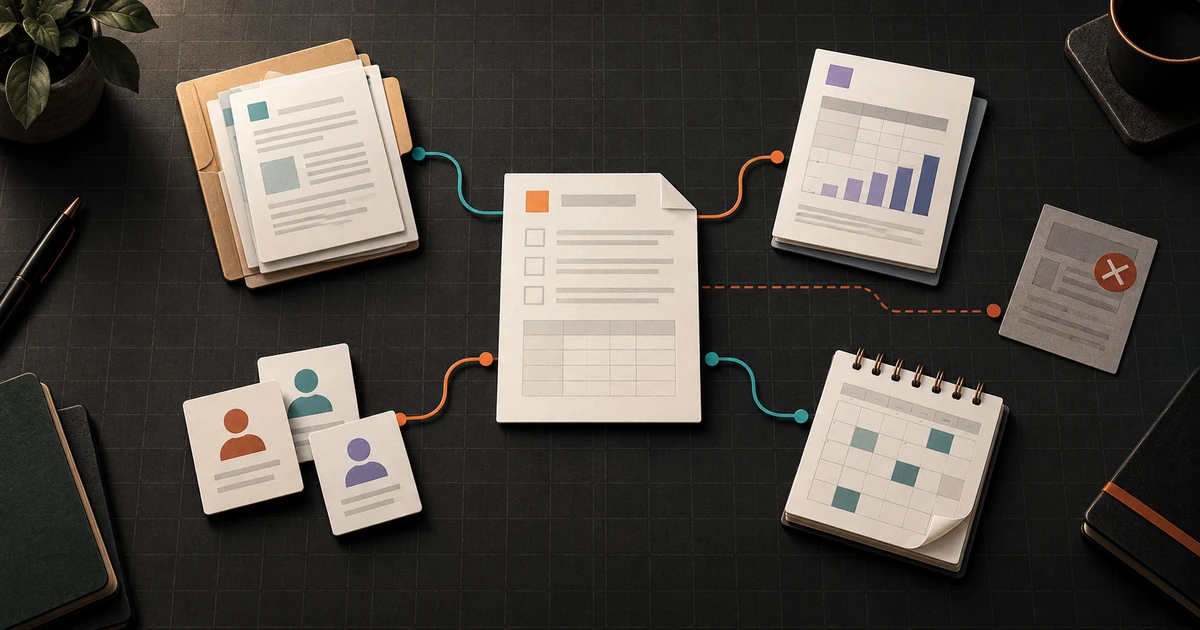
A polished preview can show what a business template looks like. It cannot show whether the template will survive the way your team actually works.
The file may expect information you do not collect. It may open in your software but lose an important layout during editing. It may be easy for one person to customize and awkward for three people to review. Its final PDF may look right on one screen while headings, reading order, form fields, or other structural details still need work.
That does not automatically make the template bad. It means appearance is only one part of fit.
A useful buying decision follows one realistic job from source material to final output. This business template compatibility checklist helps you test that path before you depend on the template for client work, sales, operations, or another recurring task.
Define the finished job first
Do not start with colors, page count, or the number of included files. Start with the work the template must help someone complete.
Write one sentence:
We need to turn these approved inputs into this final output, using these tools and reviewers, by this point in the workflow.
For example:
We need to turn an approved service list, project scope, timeline, and contact details into a client-ready proposal that one person drafts, a second person reviews, and the client can read as a PDF.
This is a hypothetical workflow, not a claim that every proposal process should use the same steps. Your sentence may describe a planning sheet, content calendar, launch checklist, intake document, presentation, or operating record. What matters is that it names the real inputs, people, tools, and output.
If those facts are unclear, a template cannot settle them for you. It can organize decisions. It should not invent the business facts, approvals, or responsibilities that the work requires.
Copy this template fit matrix
Use one row for each requirement that could stop the work or create repeated cleanup. Ask the seller for missing facts, inspect any available documentation, and test a legitimate sample when one is offered. Mark unavailable evidence as unknown, not pass.
On a narrow screen, swipe the table horizontally to read every column.
| Requirement | Your workflow | Evidence to inspect | Test | Owner | Result |
|---|---|---|---|---|---|
| Required inputs | Facts, images, data, decisions, and approvals you already have | Field list, instructions, sample pages | Complete one section with realistic non-sensitive test material | Content owner | Pass / fail / unknown |
| Editing software | Approved app, account, device, and version | Listed file formats and software requirements | Open, edit, save, close, and reopen the working file | File owner | Pass / fail / unknown |
| Layout behavior | Pages, tables, formulas, styles, or components that must remain intact | Editable sample, screenshots, compatibility notes | Replace short samples with realistic long and missing values | Editor | Pass / fail / unknown |
| Collaboration | Drafting, comments, approvals, and handoff | Permission and review instructions | Run one draft-review-revision cycle | Project owner | Pass / fail / unknown |
| Accessibility | Structure and use requirements for the intended readers | Source structure, instructions, checker results | Review the source and exported output with the tools and people appropriate to the task | Accessibility owner | Pass / fail / unknown |
| Final output | PDF, document, spreadsheet, slides, print, upload, or another deliverable | Export instructions and sample output | Produce the exact deliverable and inspect it in its destination | Delivery owner | Pass / fail / unknown |
| Ongoing upkeep | Facts, dates, prices, links, branding, or sections that will change | Update guide, styles, source organization | Make one likely future change without rebuilding the file | Maintenance owner | Pass / fail / unknown |
| Recovery | Authoritative source, version history, and clean starting copy | File organization and backup instructions | Recover the last accepted version after a deliberate test edit | File owner | Pass / fail / unknown |
A critical failure should outweigh a long list of minor conveniences. If the required software is unavailable, the final output breaks, or nobody can maintain the accepted source, attractive bonus pages do not repair the fit.
Check whether you can supply the required inputs
Templates often demonstrate the best-filled version of a page. Your normal work may contain longer names, fewer images, missing dates, optional sections, or answers that are not ready at the same time.
Inventory every input before judging the finished design:
- approved text and business facts;
- logos, images, and evidence that you are allowed to use;
- names, dates, prices, links, and contact details;
- decisions that require review;
- data fields, units, and update frequency;
- required sections and sections that may be omitted;
- the person responsible for confirming each item.
Then test realistic variation. Replace the sample headline with the longest credible headline your work produces. Remove an optional image. Add another table row. Leave a genuinely optional field blank. Check whether the instructions explain what may be changed or removed.
The goal is not to make the file indestructible. It is to discover whether ordinary inputs create ordinary editing work or force someone to redesign the template each time.
Test the exact editing path
A familiar filename does not prove that the complete editing experience will be the same in every application.
Microsoft documents feature differences between ODT and DOCX files, including differences that depend on the feature and format in use. Its separate guidance for opening and saving ODT files in Word tells users to check for formatting differences when working across the formats.
Google’s documentation for working with Microsoft Office files distinguishes editing an Office file in its existing format from converting it to a Google document format. These are useful examples of why “opens successfully” is not a complete compatibility test. They do not establish how an unrelated file, application, font, script, formula, or export will behave.
Use the same path the real owner will use:
- Open the source in the approved application and account.
- Replace sample content with realistic test material.
- Exercise any formulas, linked fields, styles, master layouts, or reusable components you intend to rely on.
- Save in the format your team will retain.
- Close and reopen the file.
- Share it through the intended review path.
- Export the actual final format.
- Inspect both the editable source and the exported result.
If your workflow crosses applications or formats, repeat the complete round trip. Record the exact versions and path tested. Do not describe one successful sample as universal compatibility.
Check collaboration as a sequence, not a feature label
“Collaborative” can mean several different things: two people editing at once, one person commenting, a client reviewing a fixed copy, or an approver accepting a final version. Define the sequence you need.
Ask:
- Who creates the working copy?
- Who may edit source content?
- Who may comment but not rewrite?
- What tells the owner that review is complete?
- Where is the accepted version stored?
- How are later changes distinguished from the approved delivery?
Run one small review cycle. Have the drafter make a change, the reviewer comment on it, and the owner produce the accepted output. Confirm that permissions, comments, fonts, links, formulas, and version names survive the handoff you intend to use.
A template can provide sections and prompts. It cannot assign decision authority inside your business. If two reviewers disagree or a client changes approved content, the workflow still needs a named owner and a clear acceptance rule.
Inspect accessibility in the source and the output
Accessibility is not a switch that a seller, file format, or automated checker can turn on for every reader and use case.
W3C’s WCAG2ICT 2.2 guidance describes how WCAG principles and criteria can apply to non-web documents and software. W3C labels the document informative; using it does not by itself establish conformance, certification, or legal compliance.
The editing platform may provide useful support. Google documents accessibility features and screen-reader setup for Docs, Sheets, Slides, and Drawings. Microsoft explains how its Accessibility Checker identifies certain issues and offers recommendations. Adobe provides a process to check and verify PDF accessibility, including automated checks and manual review.
Treat those tools as inputs to review, not proof that every issue has been found. For the source and final output, inspect the elements relevant to the document: heading structure, reading order, table structure, link purpose, alternative text, color use, keyboard operation, form-field labels, document language, and the behavior of meaningful content at the intended zoom or display size.
The exact checks depend on the artifact and its readers. If the document has a contractual, regulatory, employment, education, health, financial, or other high-stakes use, route it through the qualified review required for that context. A general template checklist is not that review.
Test the final output where it will be used
The editable file is not always the deliverable. A customer may receive a PDF. A team may upload a spreadsheet. A printer may produce a bound handout. A presenter may share slides from a different device.
Create the real output and inspect the details that matter there:
- page breaks, margins, cropping, and orientation;
- fonts, symbols, images, and charts;
- working links and clearly written destinations;
- formulas or calculated values carried into the intended result;
- headings, reading order, tags, or form fields when relevant;
- filename, version, date, and approval state;
- readability on the devices, screen sizes, or print format your workflow supports.
Do not substitute a screenshot of the editing canvas for this test. The thing delivered to the reader is the thing that must be reviewed.
Make one likely future update
A template that works once may still be expensive to maintain. Identify the change most likely to happen again: a new service, revised date, longer team list, changed brand color, extra project phase, updated link, or another reporting period.
Make that change in a copy. Note which content is global, which is repeated manually, which styles are reusable, and which parts require layout repair. Confirm that the team knows which file is authoritative and how to start the next cycle without overwriting the accepted version.
This test reveals the difference between a reusable system and a finished example. Reuse does not mean every future change is automatic. It means the normal owner can make an expected change without reverse-engineering the file.
Separate blockers from preferences
Summarize the matrix in three groups:
- Blocker: the template cannot produce a required output, depends on unavailable software or skills, loses necessary information, or fails a requirement the workflow cannot waive.
- Cost to plan for: the template can work, but it needs setup, conversion, training, review, or recurring cleanup.
- Preference: a visual or convenience difference that does not prevent the job from being completed.
Keep unknowns visible. Ask for documentation or a sample when possible. If a critical fact remains unknown, decide whether you can safely test after purchase under the stated terms or whether another option presents less uncertainty. Do not infer compatibility from a product image or from a list of file extensions alone.
Buy for the workflow, not the screenshot
The best-fitting template is not necessarily the one with the most pages or the most dramatic preview. It is the one your team can populate with verified inputs, edit in approved tools, review with clear ownership, deliver in a usable form, and update without rebuilding the work.
Run one complete cycle with non-sensitive test material. Record what passed, what failed, and what remains unknown. That evidence gives you a better buying decision than a feature count.
You can browse Fireproof Studio’s available business tools and apply this same matrix to the compatibility notes, instructions, and samples provided for any item you are considering.