
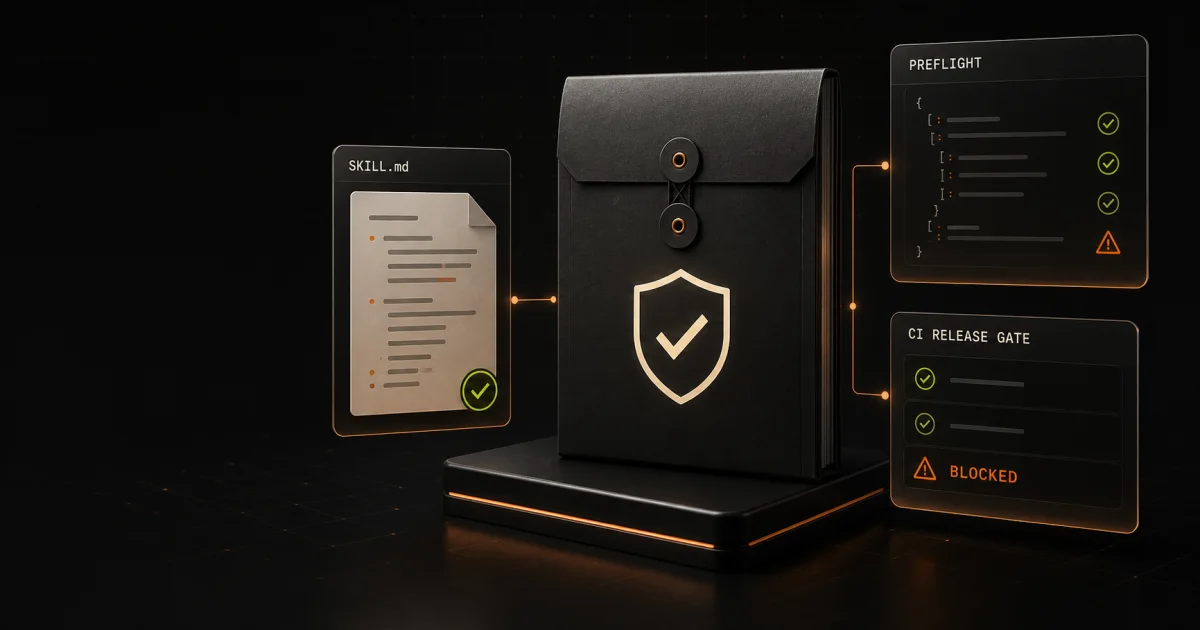
A valid SKILL.md is not automatically a safe or useful agent skill. A package can have tidy metadata while still containing unresolved placeholders, broken references, overbroad commands, secret-like material, or instructions that cannot be tested consistently.
The practical goal of preflight is narrower than certification: catch preventable release problems, preserve evidence, and make the remaining human judgment explicit. The following sequence works as a review checklist whether you automate it, run it manually, or combine both.
1. Freeze the exact package you are reviewing
Start with a specific directory, archive, or source commit. Record enough information to prove which bytes were reviewed:
- source location and resolved version or commit;
- package filename and version;
- file inventory;
- archive or package hash;
- review date and reviewer;
- intended agent platform and runtime.
Do not review a moving branch and later assume the published archive is identical. If the contents change after review, treat the new artifact as a new release candidate.
This also makes rollback possible. A version label is useful, but a cryptographic hash is stronger evidence that two people examined the same artifact.
2. Verify the package boundary
Locate the package root and confirm that SKILL.md is where the target platform expects it. Then inspect the folder as a package rather than reading the main file in isolation.
Check for:
- a missing or duplicated
SKILL.md; - files that are promised but absent;
- unexpected binaries or generated files;
- symbolic links that escape the package root;
- oversized or irrelevant assets;
- temporary files, local configuration, or editor state;
- a clear license and support document.
A skill can look harmless in Markdown while a referenced script or symlink reaches outside the directory you intended to distribute. The package boundary is part of the product.
3. Check metadata for identity, not decoration
Parse the front matter instead of merely confirming that delimiters exist. At minimum, verify that required fields are present, values are supported by the consuming platform, and the skill name agrees with its folder and release records.
Look for malformed structured values, unsupported fields, invalid naming, and placeholder content such as TODO, CHANGEME, or example identifiers that were never replaced.
Descriptions should state what the skill does and when it should be used. They should not claim compatibility, security, compliance, or outcomes that the package has not demonstrated.
4. Read instructions as executable behavior
Agent instructions are operational inputs. Review them with the same care you would apply to a script or deployment configuration.
Flag instructions that request or imply:
- shell execution;
- network access or remote downloads;
- access to credentials, tokens, browser sessions, or private data;
- writes outside the intended workspace;
- destructive deletion or broad recursive changes;
- disabling safeguards or ignoring higher-priority instructions;
- hidden background behavior;
- purchases, messages, publication, or other external commitments.
Context matters. A command is not unsafe merely because it uses a shell, and a scanner cannot determine intent from every phrase. The review should identify where capabilities are requested, why they are necessary, and which human or platform control still constrains them.
Avoid download-and-execute patterns such as piping an unverified remote response directly into a shell. Pinning a version is only useful after the pinned artifact has been evaluated.
5. Search for secrets and internal material
Scan every text file, not only SKILL.md, for secret-like values and operational residue:
- access keys, tokens, passwords, and private keys;
- private URLs, internal hostnames, and account identifiers;
- customer or employee data;
- local absolute paths and usernames;
- copied logs or fixtures containing real data;
.envfiles and credential exports.
Pattern matching is a warning system, not proof. It can miss unfamiliar credential formats and can flag harmless examples. Investigate every finding, redact examples, and use obviously synthetic placeholders where documentation needs to show a format.
If a real credential entered an artifact or log, removal from the package is not enough. Rotate or revoke it and review the relevant activity separately.
6. Resolve every local and remote reference
Follow Markdown links, script paths, templates, examples, and other referenced assets. Confirm that local references exist, remain inside the package, and use the intended casing. Review remote references for ownership, stability, and whether the skill requires network access to function.
Then ask a harder question: if the remote resource changes or disappears, does the skill fail safely? A release should not silently replace reviewed behavior with whatever a URL serves later.
7. Define a permission budget
Write down the smallest capability set the skill needs:
- readable and writable paths;
- allowed network destinations;
- required applications or accounts;
- credential names and how they are supplied;
- external actions the agent may take;
- approval points that must remain human-controlled.
Compare the instructions and scripts with that budget. Unexpected access is a blocker until it is removed or justified. Run the first test without credentials, with minimal filesystem access, and with network access disabled unless the skill’s core job requires it.
8. Test both safe and unsafe fixtures
A happy-path example proves very little by itself. Include at least one known-good fixture and deliberately unsafe or malformed fixtures that exercise the failure classes you promise to catch.
Useful cases include:
- missing metadata;
- invalid names;
- unresolved placeholders;
- secret-like material;
- instruction overrides;
- broad destructive commands;
- missing local references;
- references or symlinks that escape the package;
- unsupported runtime or malformed structured input.
Assert exit codes and machine-readable findings, not only terminal text. A release gate should fail predictably when a blocking issue is present and should preserve a report that CI or a reviewer can inspect.
9. Separate automated findings from human review
Deterministic checks are good at repeatable structural and pattern-based failures. They do not prove that an instruction is trustworthy, that every malicious behavior was detected, or that the skill is compatible with every agent platform.
Human review should still cover:
- the necessity of requested capabilities;
- scripts and data flows;
- misleading or unsupported claims;
- licensing and third-party rights;
- failure behavior and recovery;
- privacy and customer-data handling;
- platform-specific compatibility.
Record findings as facts, warnings, and unresolved judgment calls. Do not turn a clean scan into a security certification.
10. Preserve release evidence
Before distribution, save a compact evidence bundle containing:
- the reviewed artifact hash;
- scanner or lint version;
- human-readable and JSON reports;
- safe- and unsafe-fixture results;
- test and packaging output;
- license, support boundary, and compatibility statement;
- known limitations;
- the final release decision.
The decision should be reproducible. Another reviewer should be able to identify the artifact, rerun the checks, and understand why remaining risks were accepted.
Make preflight a release gate
The checklist can be implemented with ordinary scripts and CI. The important part is that it runs against the final package and blocks distribution on defined failure classes.
Fireproof Studio’s Agent Skill Preflight Kit packages this workflow into a dependency-free local scanner, safe and deliberately unsafe fixtures, a CI workflow example, a machine-readable check manifest, evaluation cases, and a release checklist. It is a $99 one-time purchase with a one-company commercial license and automatic email delivery.
The kit is a deterministic preflight aid, not a security certification. Whether you build your own gate or use ours, the release question is the same: can you identify the exact artifact, explain every requested capability, reproduce the findings, and show how the package behaves when something is wrong?